The Software · Chapter 9.e
How does a shell find and run a program?
Transcript
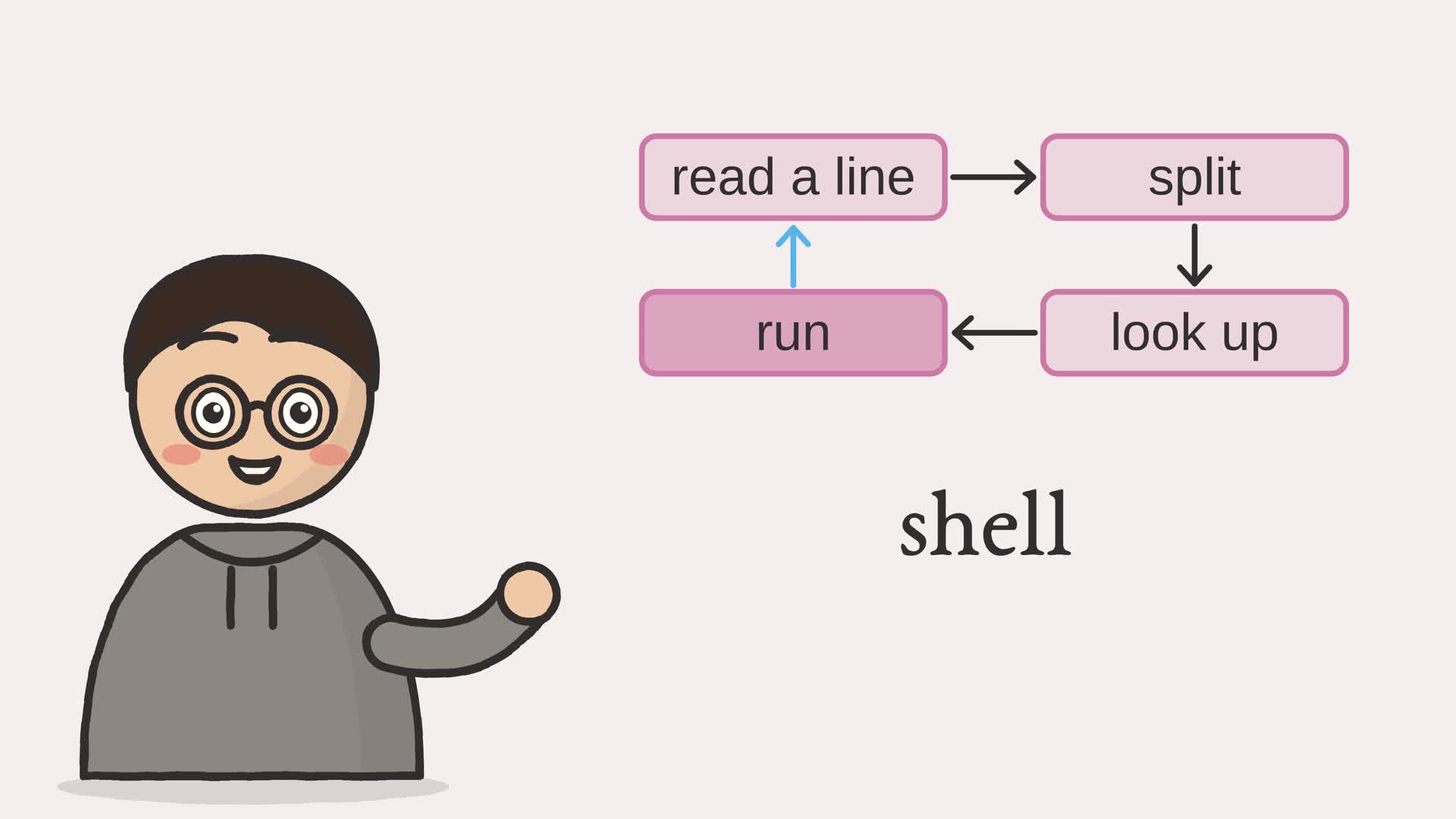
How does a shell find and run a program? You type two words, cat greeting, and a file appears on screen.
I figured the shell was the operating system itself, the heart of the machine. But it's just an ordinary program, running a small loop.
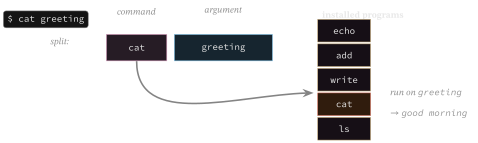
Read a line: cat greeting. Split it at the space: the first word is the command, the rest are its arguments. Look the command up among the five installed programs. Found it. Run cat with greeting, and show what it returns: good morning. Then read the next line, and do it all again. Type a name that isn't installed, and it just says so. Each stage is simple; together, they're how a person drives the machine.
So the shell finds a program by name, and runs it! Each line is the same small act: split, look up, run.
Type a command below, like echo hello, and watch each stage light up.
- The browser
- The network
- Software and languages
- The CPU
- Memory
- Arithmetic
- Logic gates
- The switch
Everything the operating system offers, the processes of Chapter 9, the protected memory, the files of Chapter 9.d, waits behind one question: how does a person start any of it? The answer is the shell, the program that reads a line of text, works out which program it names and what arguments to hand it, finds that program, and runs it. This chapter wires the shell to the files alone and walks that path end to end. The scheduler and memory translator remain separate models. The commands here are Python functions already available in the shell; they are not executable files loaded onto our CPU. This lets us follow command dispatch without first building a loader.
9.e.1 The shell loop
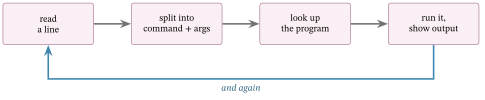
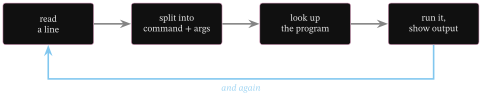
The loop is short. Read a line; split it into a command and its arguments; look the command up among the installed programs; run it and show what it returns; read again. Figure 9.e.2 traces one turn.
Example 9.e-1. Reading and running a line
class Shell:
    """A command interpreter over a small set of installed programs and a disk."""

    def __init__(self) -> None:
        self.disk = Disk(blocks=16)
        self.programs = {
            "echo": self._echo,
            "add": self._add,
            "write": self._write,
            "cat": self._cat,
            "ls": self._ls,
        }

    def run(self, line: str) -> str:
        """Parse a line into a command and arguments, find the program it names,
        and run it. Report a line that names no installed program."""
        parts = line.split()
        if not parts:
            return ""
        name, arguments = parts[0], parts[1:]1
        if name not in self.programs:2
            return f"{name}: command not found"
        return self.programs[name](arguments)3

    def _echo(self, arguments: list) -> str:
        return " ".join(arguments)

    def _add(self, arguments: list) -> str:
        return str(sum(int(value) for value in arguments))

    def _write(self, arguments: list) -> str:
        self.disk.write(arguments[0], " ".join(arguments[1:]).encode("ascii"))
        return ""

    def _cat(self, arguments: list) -> str:
        return self.disk.read(arguments[0]).decode("ascii")

    def _ls(self, arguments: list) -> str:
        return " ".join(self.disk.directory)
- the first word is the command; the rest are its arguments
- if no installed program goes by that name, the shell says so and does nothing else
- otherwise the program is found and run on the arguments, and what it returns is the output
9.e.2 Finding and running a program
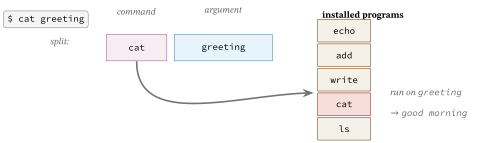
Looking the command up is the shell’s dispatch step. A real machine may also load program bytes from storage into memory before execution; this chapter stops earlier. Here the installed programs are already resident, so the shell maps the command name to one of them and runs it. They are a small set, a few of which reach into the filesystem of Chapter 9.d, so the shell can write a file and read it back, the way a real shell runs programs that work on real files. Figure 9.e.3 runs one line.
9.e.3 The shell, run
Running ftb.shell types a short session: echo some words, write a file and read it back, list the files, add two numbers, and try a command that does not exist.
$ echo hello world
  hello world
$ write greeting good morning
  (no output)
$ cat greeting
  good morning
$ ls
  greeting
$ add 40 2
  42
$ spork the foon
  spork: command not found
Each line is the same small act: split, look up, run. echo and add are self-contained; write, cat, and ls reach through to the files of the last chapter; and a name that matches no program is reported and nothing happens. This loop composes the shell with the files of Chapter 9.d. A real shell also asks the operating system to create processes and load executable programs; this example stops at dispatching the resident functions.
This closes the Software unit: we have an assembler and an expression compiler that use our CPU, plus models of language execution, scheduling, service requests, memory management, files, and command dispatch. Some are connected, and their boundaries identify the work needed to combine them further. The Network unit that follows asks how separate machines communicate with each other.
Exercises
- Add a command that deletes a file, wired to the filesystem of Chapter 9.d.
- Add a help command that lists every program the shell knows.